Amazon Keyword Research Using Helium 10 | Advanced Ranking Method
The Strategic Method Most Sellers Never Learn
Most beginners are doing Amazon keyword research and PPC completely backwards.
And if that sounds harsh, it’s probably because you were taught the wrong way.
What I see over and over again is sellers doing something like this:

- They open a keyword tool
- Download every keyword it spits out
- Dump them all into one PPC campaign
- Hope Amazon figures it out
That’s not a strategy.
That’s guessing.
And the results are always the same:
- Ads spend money
- Sales don’t follow
- ACoS skyrockets
Not because Amazon PPC doesn’t work…
But because there’s no structure behind it.
In this guide, I’m going to show you how to properly do Amazon keyword research using Helium 10, and how to structure your keywords so your PPC campaigns actually work.
Why Most Sellers Fail at Keyword Research
Let me explain this with a simple example.
Imagine you’re running a food truck.
Day One
You open the window and sell food.
At the end of the day you know:
- How much money you made
But you don’t know:
- Which item sold best
- Why people bought
- What time sales spiked
- Which promotion worked
You’re operating blind.
Day Two
Now you start tracking:
- Which menu items sell best
- What time people buy
- Which promotion works
- What items get ignored
Suddenly you’re not guessing anymore.
You’re learning.
That’s the difference between:
| Approach | Result |
|---|---|
| Random PPC | Guessing |
| Strategic PPC | Data-driven optimization |
And keyword research is where this entire system begins.
Why You Need a Real Keyword Tool
Free keyword tools sound nice, but they have one major problem.
Bad data.
Bad data leads to bad decisions.
For serious Amazon sellers, I recommend using Helium 10’s Cerebro tool.
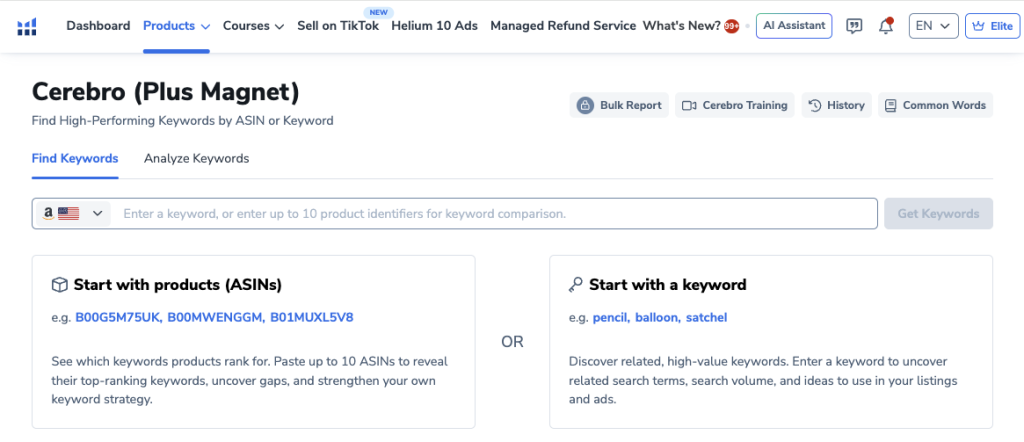
Cerebro recently merged with Helium 10’s Magnet tool, which means it now handles:
- Reverse ASIN lookups
- Keyword discovery
- Keyword expansion
All in one place.
Step 1: Reverse Engineer Competitor Keywords
Instead of guessing what keywords might work…
Let Amazon tell you what already works.
This is called Reverse ASIN Keyword Research.
Find Your Top Competitors
Go to Amazon and search your main product keyword.
Example:
screw in tent stakes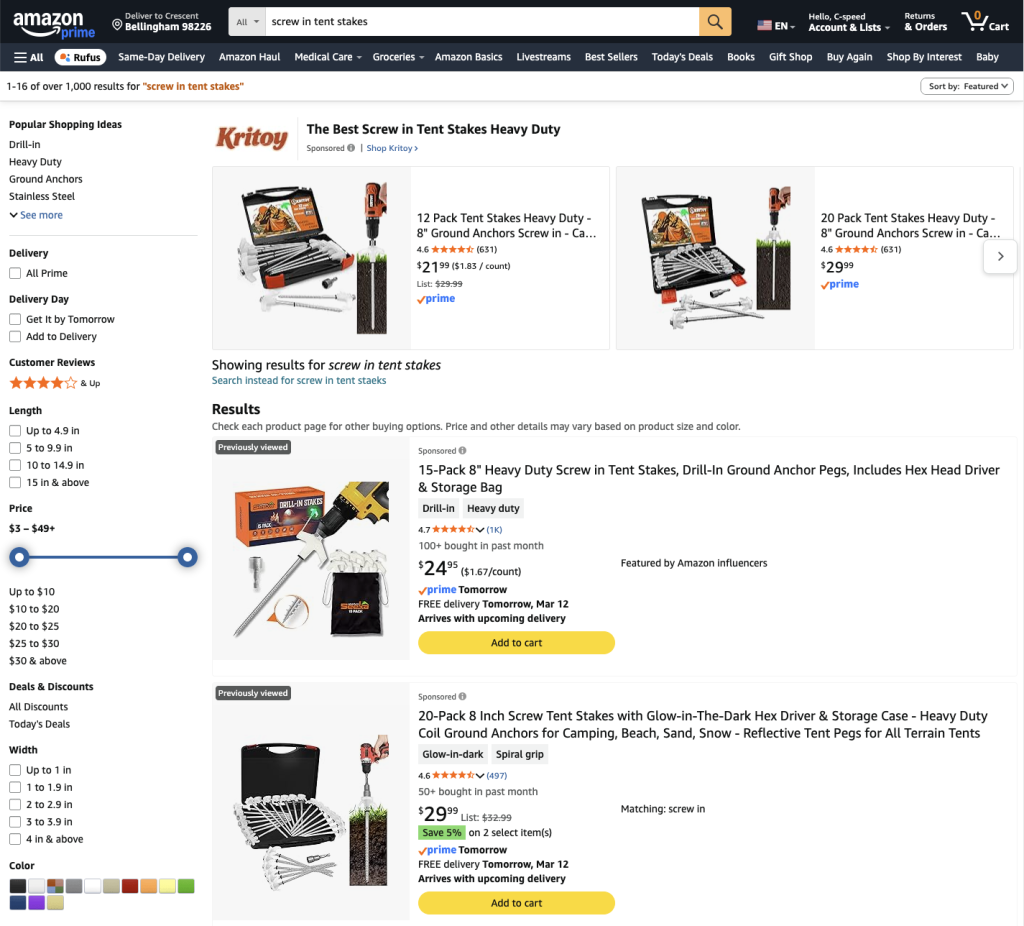
Look at the top organic listings.
Do NOT choose:
- Sponsored listings
- Unrelated products
- Different product types
You want the closest competitors possible.
Collect Their ASINs
Grab the top 3 organic ASINs.
You can find the ASIN:
- In the URL (starts with B0)
- On the product page
Example:
amazon.com/dp/B0XXXXXXXThen paste them into Cerebro.
| Competitor | ASIN |
|---|---|
| Competitor #1 | B0XXXX |
| Competitor #2 | B0XXXX |
| Competitor #3 | B0XXXX |
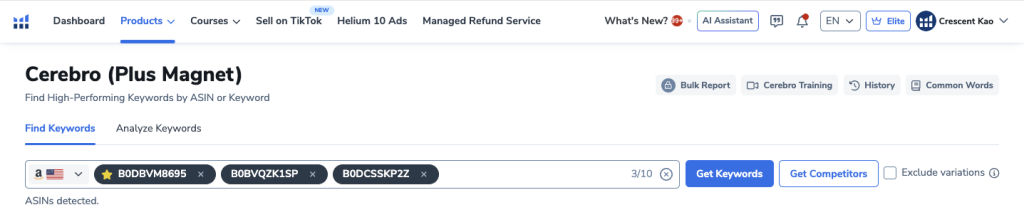
Click Get Keywords.
Step 2: Filter the Keyword Data
Cerebro may return thousands of keywords.
We need to narrow this down to high-quality search terms.
Use these filters.
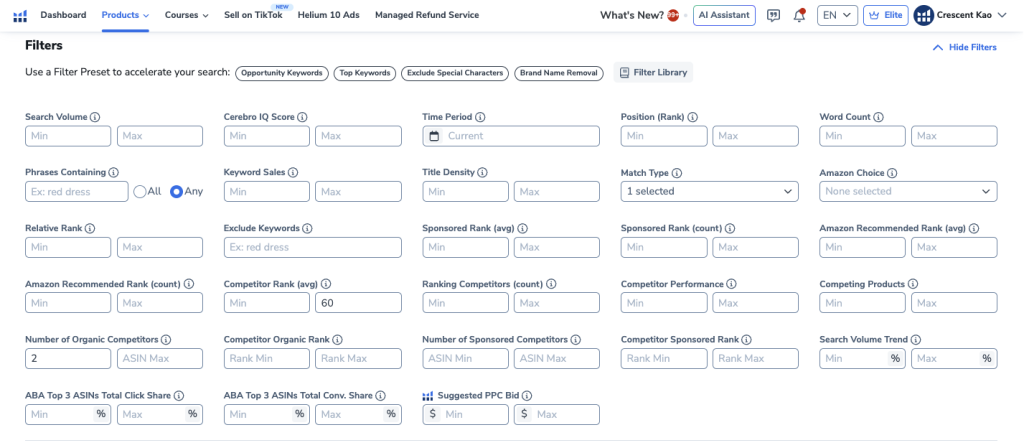
Filter 1: Match Type
Set:
OrganicThis removes paid keywords and focuses on organic rankings.
Result:
| Before | After |
|---|---|
| 2600 keywords | ~800 keywords |
Filter 2: Competitor Rank
Set:
Maximum rank = 60This only shows keywords where competitors rank in the top 60 results.
These are the keywords actually driving traffic.
Filter 3: Number of Competitors
Set:
Minimum = 2This means at least two competitors rank for the keyword.
This eliminates random or irrelevant keywords.
Final Keyword Set
After filtering you should have roughly:
| Keyword Count | Quality |
|---|---|
| 200–300 | Highly relevant |
This becomes your Master Keyword List.
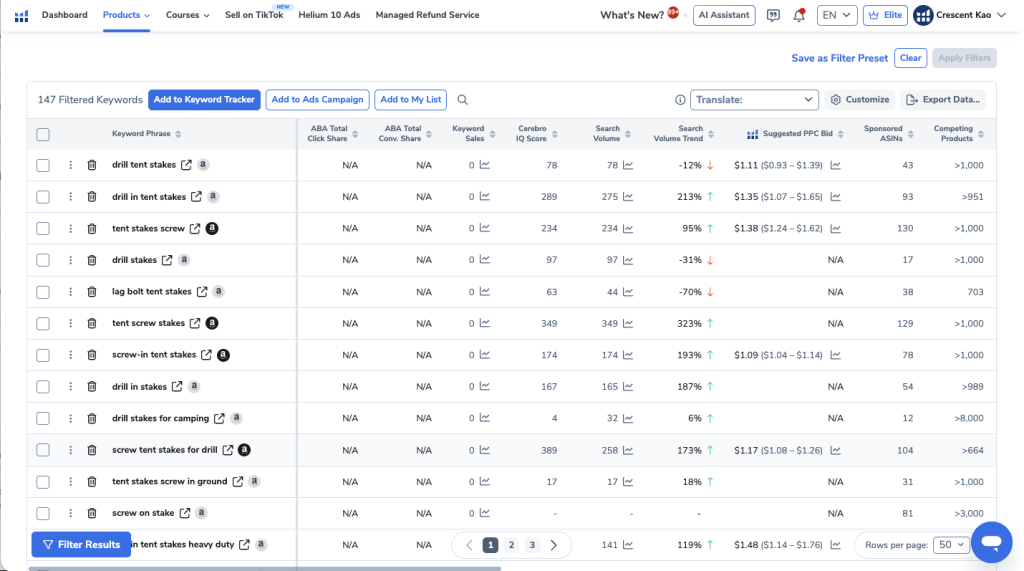
Step 3: Clean Your Keyword List
Now you need to manually remove:
- Brand names
- Competitor names
- Irrelevant keywords
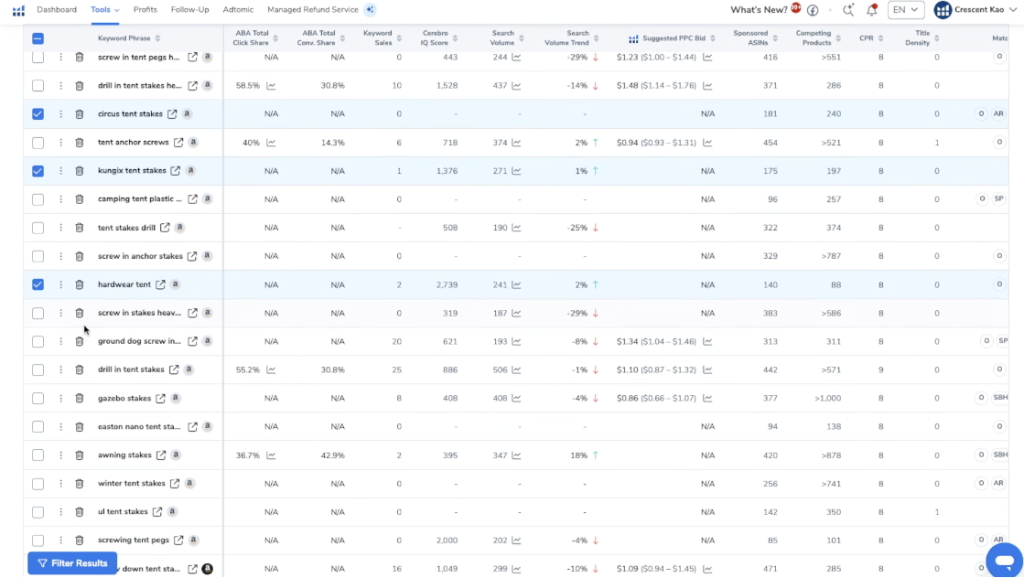
Example of keywords to remove:
| Remove | Reason |
|---|---|
| Nike tent stakes | Brand name |
| metal deck anchors | Different product |
| concrete bolts | Wrong use case |
If you’re unsure about a keyword:
Hover over it in Helium 10 to preview results.
If the products shown aren’t your product, remove it.
Step 4: Create Your Master Keyword List
Once cleaned, save all keywords into a folder.
Name it:
Tent Stakes Master ListHelium 10 calls these folders Keyword Lists.
Make sure you add all pages of keywords.
This is the foundation for everything.
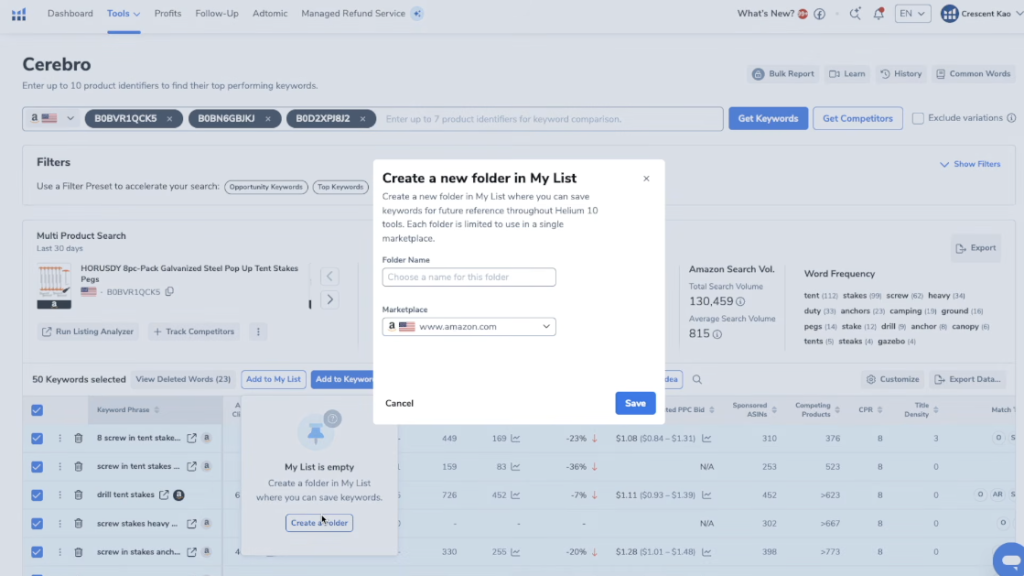
Step 5: Create Strategic Keyword Lists (The Most Important Step)
Now that we have our cleaned Master Keyword List, the next step is organizing those keywords into strategic groups.
This is where most sellers go wrong.
Most people simply export the keyword list and throw everything into a PPC campaign. But doing that destroys your ability to understand which keywords actually work.
Instead, we separate keywords into three distinct lists so each group can be tested independently in both listing optimization and PPC campaigns.
| Keyword List | Purpose | Traffic Type |
|---|---|---|
| Main Keywords | Exact product searches | Highest buyer intent |
| Related Keywords | Broader or alternative searches | Medium buyer intent |
| Misspelled Keywords | Typo variations of keywords | Low competition traffic |
By separating keywords this way, you can:
- Track performance more accurately
- Test PPC strategies independently
- Optimize campaigns faster
- Identify which keyword types actually convert
Now let’s walk through exactly how each list is created.
1. Creating the Main Keywords List
The Main Keywords list contains the most important keywords for your product.
These are the keywords that buyers type into Amazon when they already know exactly what they want.
In other words, these are high-intent purchase searches.
To create this list, go through your Master Keyword List and identify keywords that directly describe your product.
Ask yourself:
If someone searches this keyword, are they specifically trying to buy my product?
If the answer is yes, it belongs in the Main Keywords list.
For example, if you’re selling screw-in tent stakes, keywords that belong in this list might include:
| Main Keyword Examples |
|---|
| screw in tent stakes |
| spiral tent stakes |
| heavy duty tent stakes |
| camping tent stakes |
| drill in tent stakes |
These are the core keywords for the product.
They should appear in:
- Your product title
- Bullet points
- Backend keywords
- Exact match PPC campaigns
Once you identify these keywords:
- Select them in Helium 10
- Click Add to My List
- Create a new folder called something like:
Tent Stakes - Main Keywords- Save the selected keywords to this list.
After saving them, delete those keywords from the master list view. This doesn’t remove them permanently — it simply makes the remaining keywords easier to review.
2. Creating the Related Keywords List
Next, we create the Related Keywords list.
These are keywords that are relevant to your product, but not necessarily the exact product name.
These searches typically come from buyers who:
- Don’t know the exact name of the product
- Are searching for something similar
- Are using broader search terms
To identify these keywords, ask yourself:
Could someone searching this keyword still be looking for my product?
If the answer is possibly, it belongs in the Related Keywords list.
Continuing with the tent stake example, related keywords might include:
| Related Keyword Examples |
|---|
| tent stakes |
| tent anchors |
| gazebo stakes |
| camping stakes |
| ground anchors for tents |
Notice the difference here.
These keywords are less specific, but they still describe products in the same category.
These keywords are powerful because they can bring in new buyers who haven’t discovered your product yet.
Once you identify these keywords:
- Select them in Helium 10
- Click Add to My List
- Create a new folder called:
Tent Stakes - Related Keywords- Save the keywords to this list
Then delete them from the remaining keyword list so the next step becomes easier.
3. Creating the Misspelled Keywords List
Now we move on to the Misspelled Keywords list.
This is an advanced step most sellers completely ignore, but it can be extremely effective for PPC.
Amazon shoppers frequently make spelling mistakes when typing searches.
Examples might include:
| Misspelled Keyword Examples |
|---|
| tent staks |
| tent stakees |
| tent stkaes |
| screwin tent stakes |
| tent ankers |
Even though these keywords are misspelled, Amazon’s search algorithm often still returns the correct products.
However, because many sellers never target these keywords, they typically have:
- Lower competition
- Lower cost-per-click
- Cheap traffic opportunities
To build this list, scan through the remaining keywords in your master list and select any that are clearly misspellings of valid keywords.
Then:
- Select those keywords
- Click Add to My List
- Create a new folder named:
Tent Stakes - Misspelled Keywords- Save them to the list.
Later in the process, we’ll actually expand this list even further using AI to generate additional typo variations.
Final Keyword Structure
By the end of this step, you should have three organized keyword lists created from your master keyword database.
| Keyword List | Description |
|---|---|
| Main Keywords | Exact product searches with high buying intent |
| Related Keywords | Broader or alternative searches related to your product |
| Misspelled Keywords | Typo variations of product keywords |
This structured keyword organization is the foundation of strategic PPC campaigns.
Instead of dumping thousands of keywords into a single campaign and hoping something works, you now have separate keyword strategies that can be tested, measured, and optimized independently.
And that is the difference between guessing with PPC and running it like a professional.
Step 6: Expand Keywords Using Cerebro Again
Next we take the best keyword from the main keyword list.
Example:
screw in tent stakesEnter that keyword back into Cerebro.
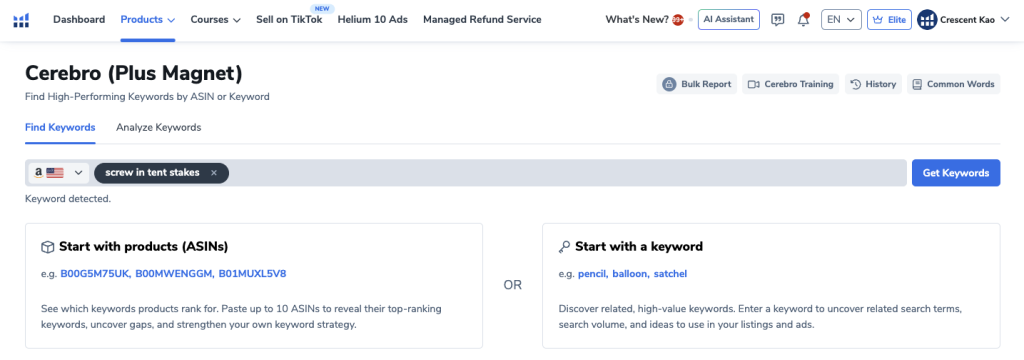
Filter again:
- Match Type → Organic
- Aim for ~200 keywords
Now repeat the process:
- Remove irrelevant keywords
- Add to the proper keyword lists
- Delete duplicates
This step ensures you catch keywords competitors missed.
Step 7: Generate Misspelled Keywords (Advanced Trick)
This is an advanced step most sellers never do.
We’re going to generate high-intent misspellings.
Export Your Master List
Download your keyword list as a CSV.
Open it in Excel or Numbers.
Copy the entire column.
Use ChatGPT to Generate Typos
Go to ChatGPT and paste this prompt:
Give me a downloadable CSV file containing all the common Amazon search high intent typos for the following keyword phrases.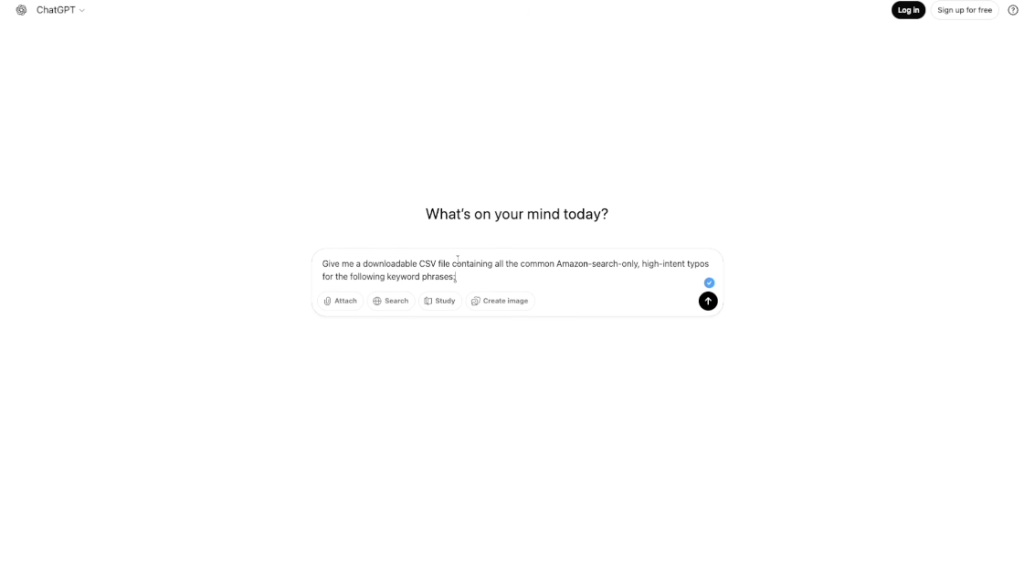
Paste your keyword list underneath.
ChatGPT will generate dozens of typo variations.
Example:
| Original | Misspelling |
|---|---|
| tent stakes | tent staks |
| tent anchors | tent anchers |
| screw in tent stakes | screw in tent staks |
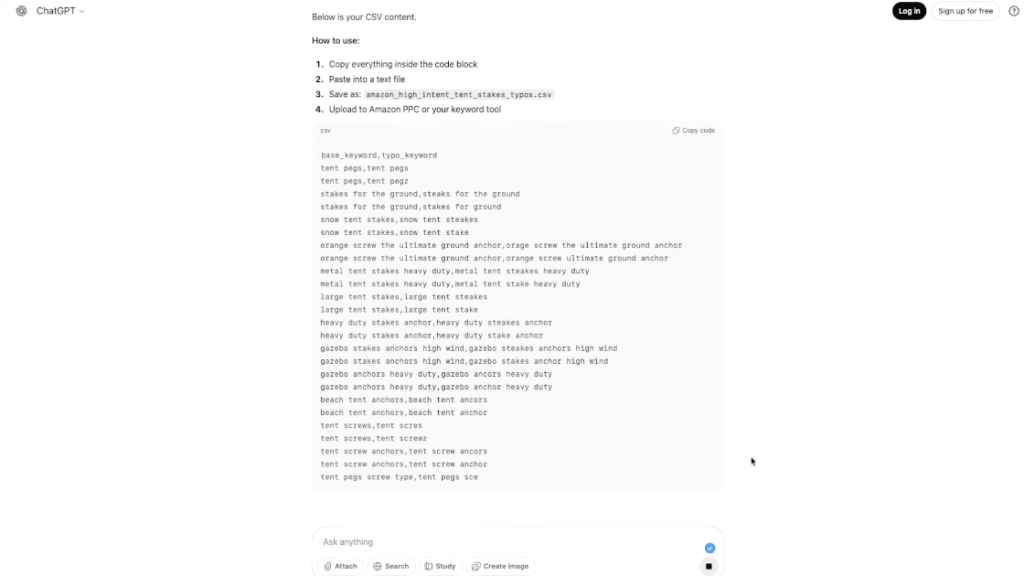
Import Misspelled Keywords
Save the list as a CSV.
Then import it into Helium 10 under:
Keyword Lists → Misspelled KeywordsNow you have a massive list of low competition keywords.
Final Keyword Structure
After all this work, you should have four clean keyword lists.
| Keyword List | Purpose |
|---|---|
| Master List | Complete keyword database |
| Main Keywords | Highest buying intent |
| Related Keywords | Broader search terms |
| Misspelled Keywords | Low competition traffic |
Why This Strategy Works
Most sellers combine everything into one PPC campaign.
That destroys your data.
With this method you can:
- Test strategies individually
- Track performance per keyword group
- Optimize campaigns faster
This is exactly like the food truck example earlier.
Instead of guessing, you’re learning.
What Happens Next?
Now that you have structured keyword lists, the next step is building strategic PPC campaigns.
Each keyword list becomes its own campaign.
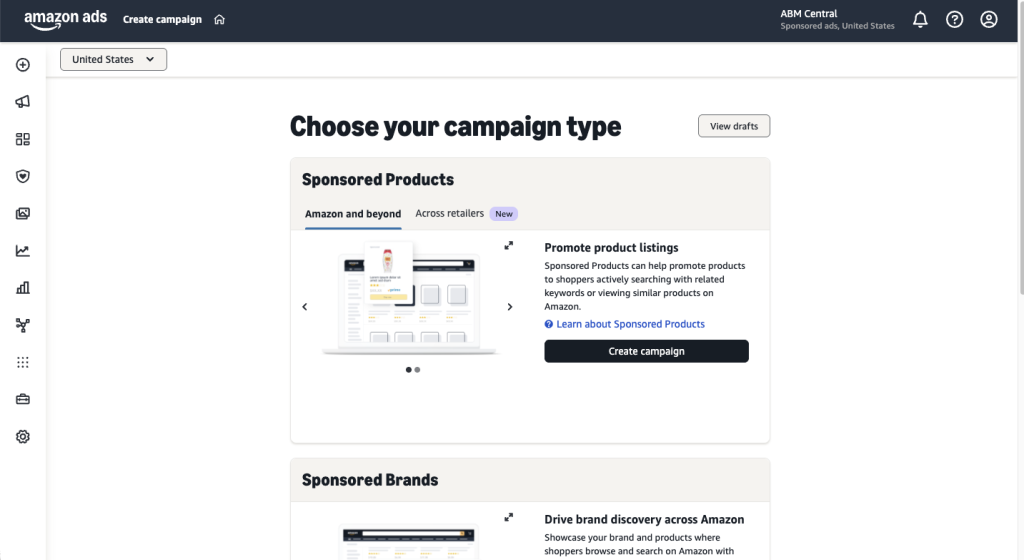
Example structure:
| Campaign | Keyword List | Match Type |
|---|---|---|
| Main Keywords | Main List | Exact |
| Relevant Keywords | Related List | Exact |
| Master Keywords | Master List | Broad |
| Misspelled Keywords | Misspelled List | Broad |
This gives you clean data and allows you to scale profitable keywords quickly.
Final Thoughts
Keyword research is the foundation of every successful Amazon product launch.
When done properly:
- Your PPC campaigns become predictable
- Your listing ranks faster
- Your ad spend becomes efficient
- Your ACoS drops dramatically
And the biggest takeaway?
Don’t guess what buyers are searching for.
Let Amazon show you.
Reverse engineer your competitors, organize your keywords strategically, and build PPC campaigns that are designed to learn and improve.
That’s how professional Amazon sellers approach keyword research.
And once you understand this system, everything about Amazon advertising starts to make a lot more sense.