Helium 10 Review & Tutorial for Beginners 2026 + Coupon Code
If you’re trying to sell on Amazon without good data, you’re basically guessing.
And that’s where most sellers go wrong.
They pick random product ideas, run ads without a strategy, and hope something sticks. But hope isn’t a strategy — and on Amazon, guessing can get very expensive very quickly.

In this guide, I’m going to walk you through exactly how I use Helium 10 to find profitable product opportunities on Amazon and how to use the tools the right way so you’re not just collecting data — you’re actually making smarter decisions that lead to real sales.
This is a fully updated Helium 10 tutorial for beginners, where we’ll cover:
- The most important Helium 10 tools
- How to use them step-by-step
- Common mistakes beginners make
- How to find profitable product opportunities
- How to do keyword research the right way
- And how to launch your product successfully
I’ll also show you how you can try Helium 10 for free and what the limitations are, because the truth is — you don’t need every tool on day one.
What is Helium 10?
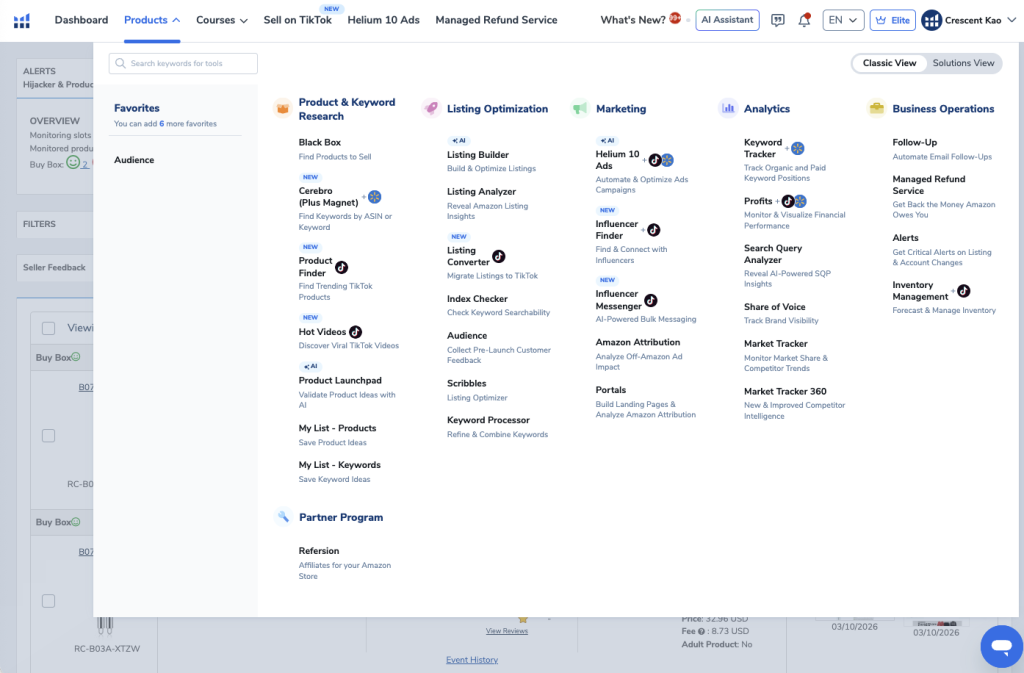
Helium 10 is an all-in-one software suite for Amazon sellers designed to help with every stage of building an Amazon business.
From product research to keyword research, listing optimization, PPC management, and analytics, Helium 10 provides the data and tools sellers need to compete on Amazon.
Without tools like this, you’re essentially trying to navigate Amazon’s marketplace blind.
What Helium 10 Helps You Do
| Feature | What It Helps With |
|---|---|
| Product Research | Find profitable products to sell |
| Keyword Research | Discover what shoppers are searching |
| Listing Optimization | Create high-converting product listings |
| PPC Management | Manage and optimize ads |
| Competitor Analysis | Analyze top competitors |
| Financial Tracking | Track revenue and profits |
Helium 10 is widely considered one of the most powerful tools available for Amazon sellers, and it’s the same toolset used by thousands of successful sellers.
Helium 10 Pricing (Which Plan Should You Choose?)
Helium 10 currently offers three main plans:
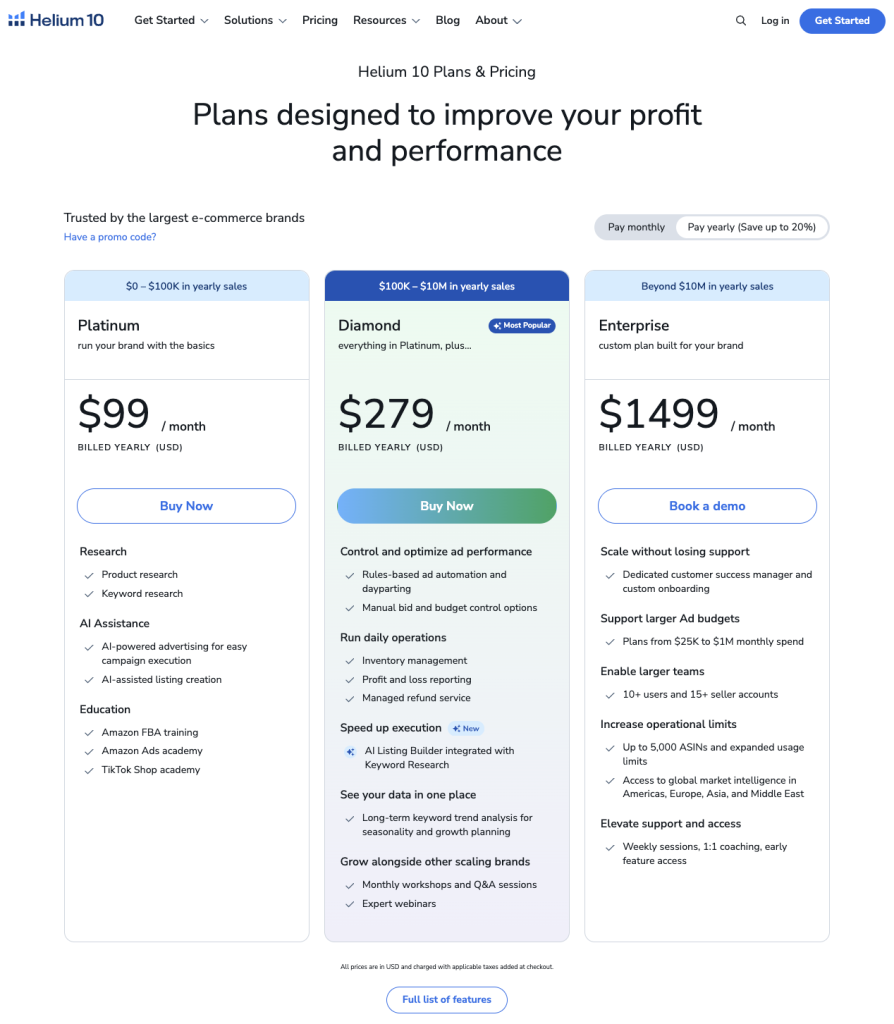
For most beginners, the Platinum plan is more than enough.
It includes all the core tools needed to:
- Find products
- Validate product ideas
- Research keywords
- Optimize listings
- Launch products
Platinum Plan Price
$99 per month
But here’s a pro tip:
Helium 10 offers a 7-day money-back guarantee.
That means you can:
- Sign up
- Do your product research
- Test the tools
- Cancel for a full refund if you decide it’s not for you
Many sellers actually subscribe only during research and launch phases, then cancel until they need it again.
Overview of the Most Important Helium 10 Tools
Helium 10 includes dozens of tools, but beginners should focus on the ones that matter most.
Here are the core tools you’ll likely use the most.
| Tool | Purpose |
|---|---|
| Blackbox | Find profitable product ideas |
| Xray | Analyze products on Amazon |
| Cerebro | Reverse engineer competitor keywords |
| Listing Builder | AI listing creation |
| Index Checker | Check keyword indexing |
| Keyword Tracker | Track rankings |
| Market Tracker | Analyze competitors |
| Refund Service | Recover money Amazon owes you |
| Alerts | Protect listings from hijackers |
Let’s go deeper into the most important ones.
Blackbox: The Best Tool for Finding Product Ideas
Blackbox is Helium 10’s flagship product research tool.
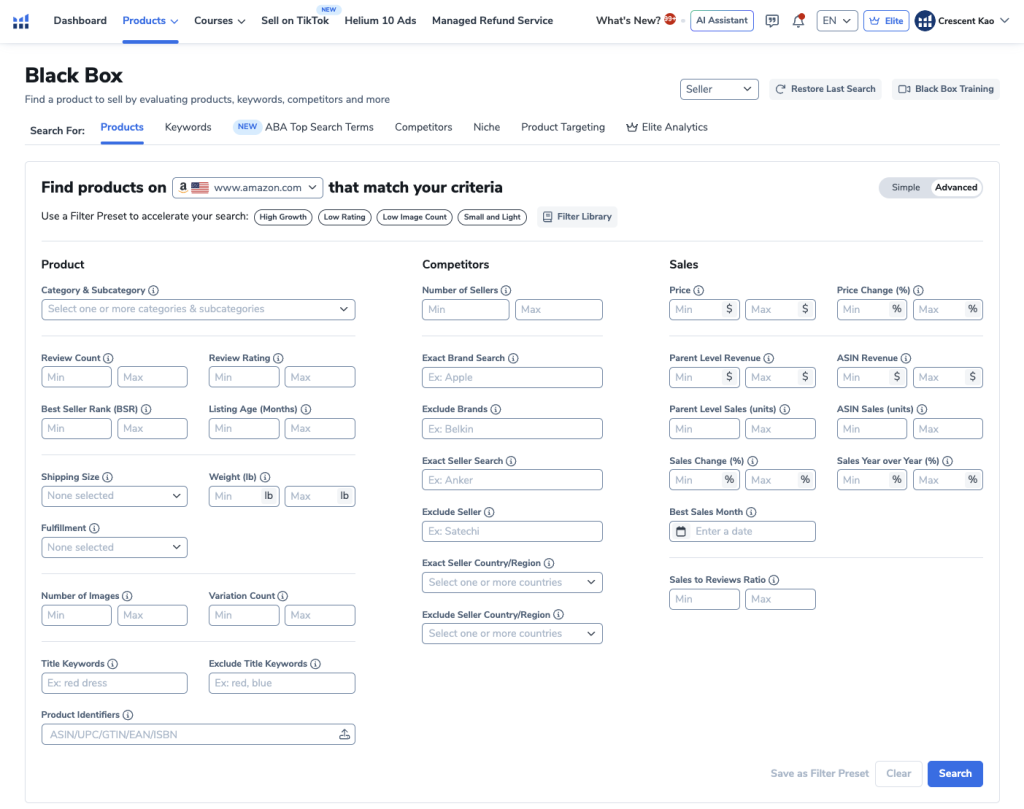
It lets you filter through millions of Amazon products using specific criteria so you can quickly identify profitable opportunities.
Instead of randomly brainstorming product ideas, Blackbox lets you search Amazon’s catalog using data.
Example Filters You Can Use
- Category
- Price
- Revenue
- Reviews
- Sales
- Product size
- Competition level
This makes product research much faster and more accurate.
How to Find Winning Products Using Blackbox
Product research can feel overwhelming without a strategy.
So I like to break it down into three simple steps.
Step 1: Product Discovery
The goal here is simple:
Generate as many product ideas as possible.
Blackbox allows you to search Amazon’s catalog using filters to uncover potential opportunities.
Recommended Blackbox Filters
Here are some filters I commonly use.
| Filter | Recommended Setting |
|---|---|
| Price | $30 – $80 |
| Monthly Revenue | $6,000 – $18,000 |
| Review Count | Under 300 |
| Monthly Sales | Minimum 300 |
| Product Weight | Under 2 lbs |
| Size Tier | Standard Size |
These settings help identify products that have:
- Strong demand
- Manageable competition
- Healthy profit potential
Categories I Avoid Selling In
Some categories can be risky or difficult for beginners.
I typically avoid:
- Clothing
- Jewelry
- Electronics
- Cell phone accessories
- Food products
- Supplements
- Lotions and cosmetics
- Toys and games
These categories often have:
- High return rates
- Heavy regulation
- Complex manufacturing
- Strong competition
A Powerful Blackbox Hack Most Sellers Don’t Know
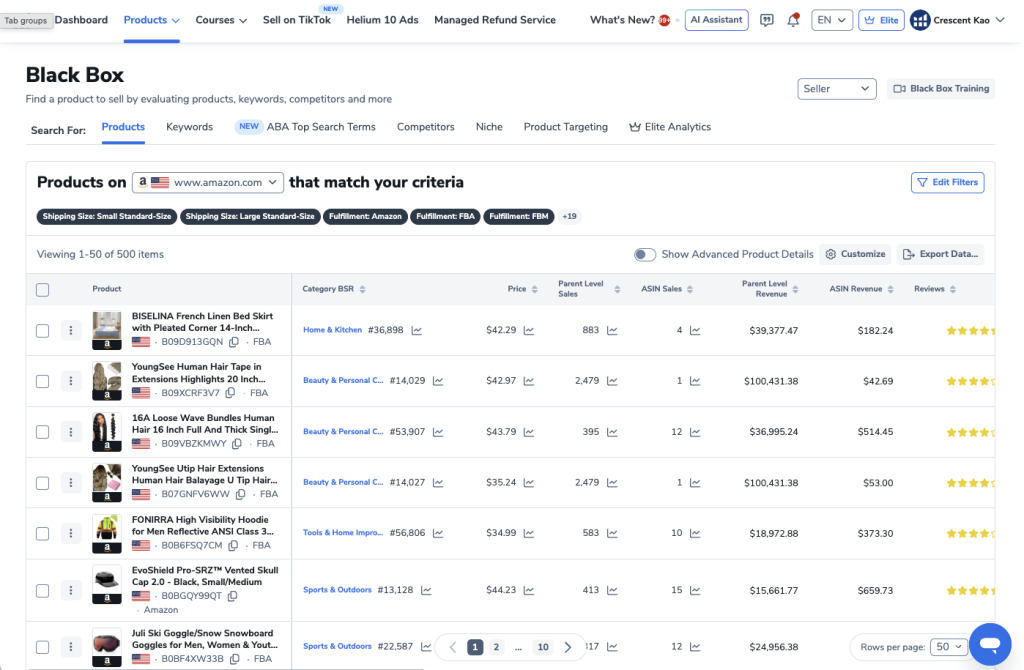
Helium 10 limits search results to 500 products depending on your plan.
This means if you search across multiple categories at once, you might miss thousands of products.
The solution
Search one sub-category at a time.
For example:
Instead of selecting multiple categories, search something like:
Sports & Outdoors → Camping → Tents & SheltersThis ensures you’re seeing every product that matches your filters.
Step 2: Niche Analysis with Xray
Once you find a potential product idea, the next step is analyzing the niche.
This is where the Helium 10 Xray Chrome Extension comes in.
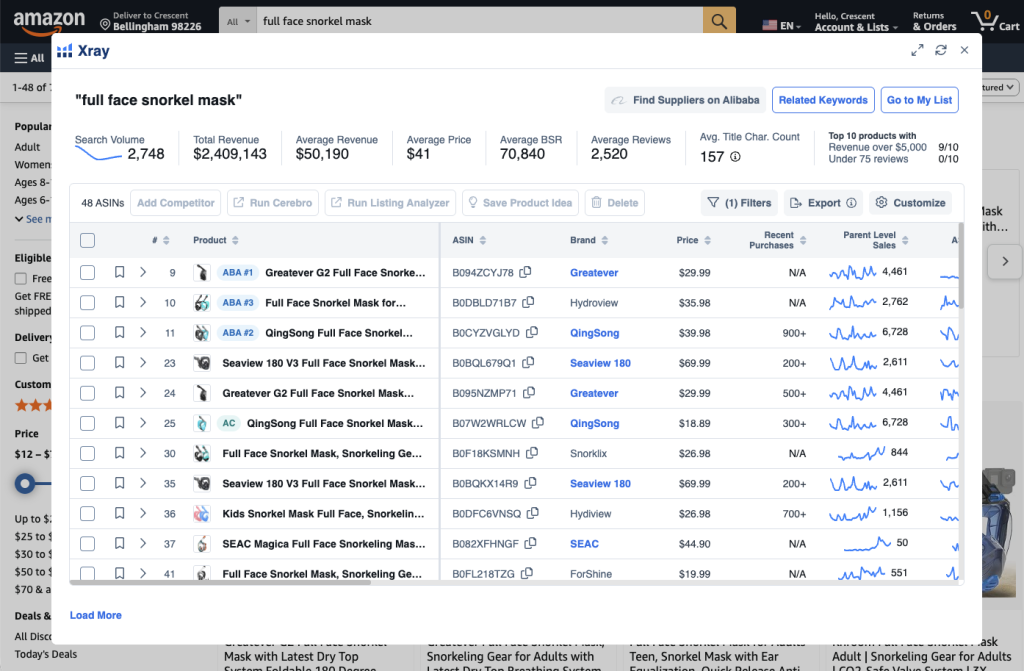
Xray lets you see:
- Estimated monthly sales
- Revenue
- FBA fees
- Review counts
- Historical data
- Market trends
All directly inside Amazon search results.
Key Metrics to Evaluate
When analyzing a niche, I look at several key factors.
Competition
Check the review count.
If most listings have under 300 reviews, that’s a good sign.
High review counts usually mean high competition.
Demand
Look at monthly sales.
Ideally:
- Most listings sell 300+ units per month
- Revenue exceeds $3,000 per month
This indicates strong demand.
Price Point
Your product should typically sell for:
$30 – $80
Why?
Lower priced products often leave little room for profit after fees.
Use the Helium 10 Profitability Calculator
Helium 10 includes a built-in profit calculator.
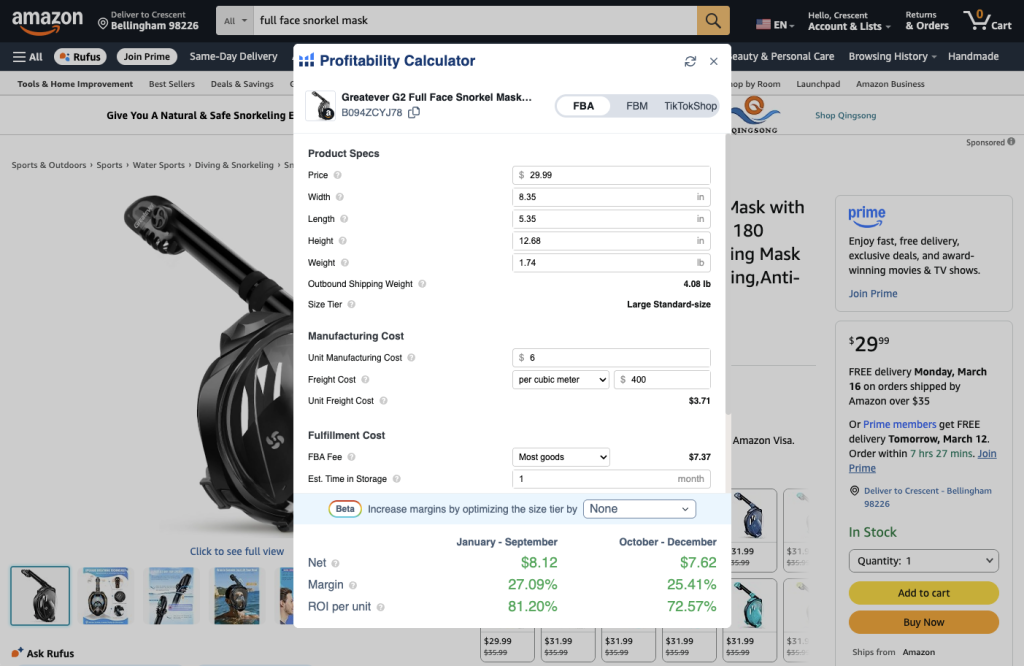
It estimates:
- Amazon fees
- Manufacturing costs
- Shipping
- Net profit
This allows you to quickly determine if a product is financially viable.
Step 3: Product Differentiation
Even if you find a profitable niche, you cannot sell the same product as everyone else.
Otherwise you’ll end up competing only on price.
And price wars destroy profits.
Instead, you need to create a competitive advantage.
Ways to Differentiate a Product
You can improve products in many ways.
Some examples include:
- Fixing design flaws
- Adding features
- Improving durability
- Bundling accessories
- Improving packaging
- Offering multiple variations
How to Find Product Improvement Ideas
The best source of product ideas is customer reviews.
Helium 10’s Review Insights tool analyzes thousands of reviews and identifies common themes.
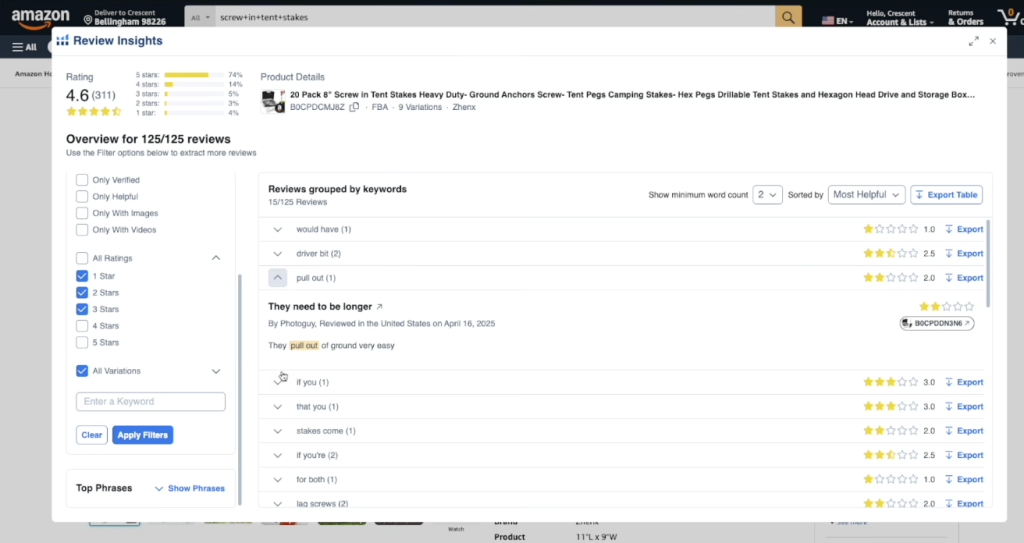
You can quickly see:
| Insight | Example |
|---|---|
| Common complaints | Product breaks easily |
| Missing features | Needs stronger grip |
| Customer suggestions | Include extra accessories |
By addressing these issues, you can create a better product than your competitors.
Keyword Research with Cerebro
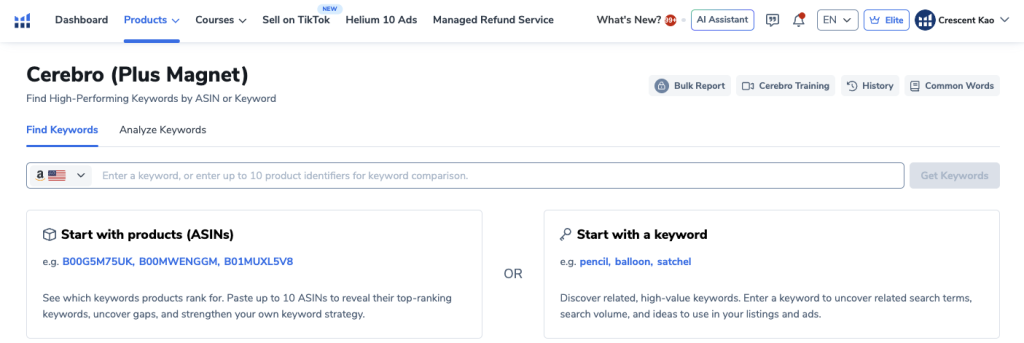
Once you have a product idea, the next step is keyword research.
And this is where many sellers make a huge mistake.
They dump hundreds of keywords into one PPC campaign and hope something works.
That’s not strategy.
That’s guessing.
The Right Way to Do Keyword Research
Instead of guessing keywords, we reverse engineer competitors.
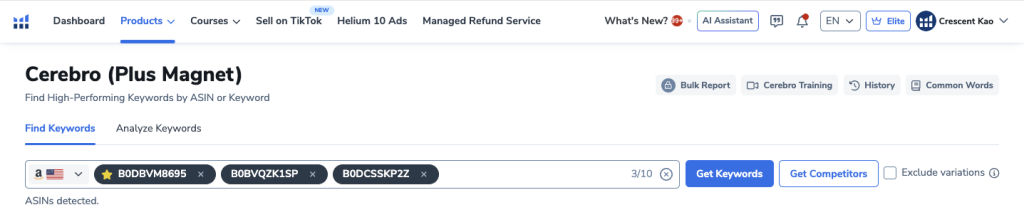
Helium 10’s Cerebro tool allows you to see exactly which keywords top competitors are ranking for.
How It Works
- Search your product on Amazon
- Copy ASINs from the top listings
- Paste them into Cerebro
- Extract their keyword data
Cerebro then generates thousands of keyword ideas.
Filtering the Keyword List
To make the results manageable, apply these filters.
| Filter | Setting |
|---|---|
| Match Type | Organic |
| Competitor Rank | Top 60 |
| Competitor Count | Minimum 2 |
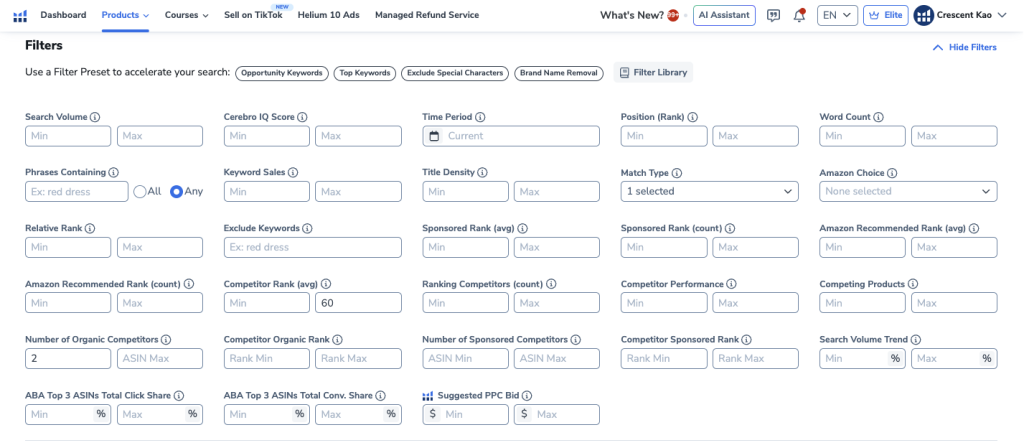
This narrows thousands of keywords down to a few hundred highly relevant ones.
Creating Strategic Keyword Lists
Instead of throwing all keywords into one campaign, separate them into groups.
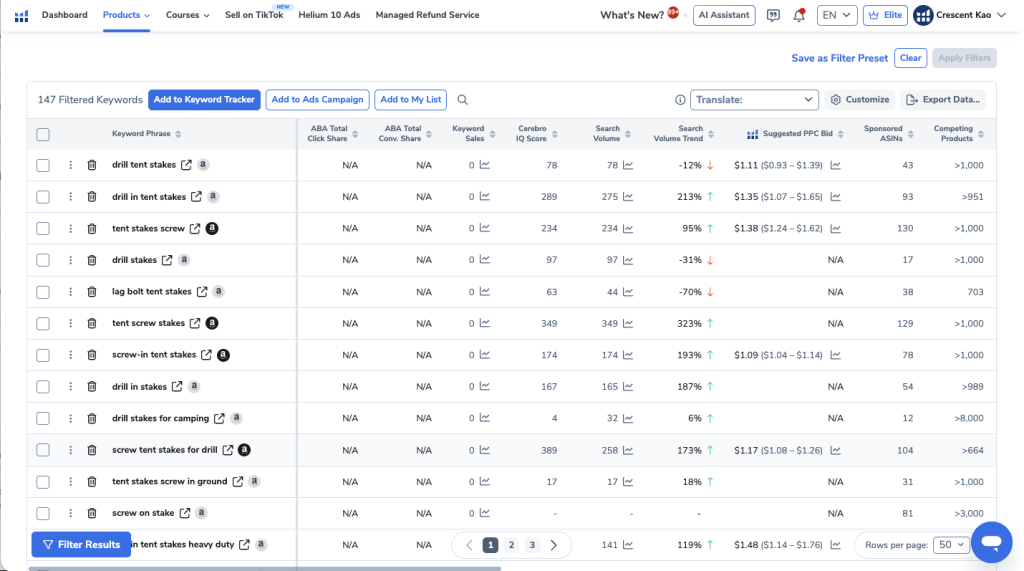
| Keyword Type | Purpose |
|---|---|
| Main Keywords | Exact product searches |
| Related Keywords | Broader search terms |
| Misspelled Keywords | Typo variations |
This structure allows you to test and optimize PPC campaigns more effectively.
Additional Helium 10 Tools Worth Using
Beyond research tools, Helium 10 offers many advanced features.
Listing Builder (AI Listing Optimization)
Listing Builder helps you create optimized listings using your keyword lists.
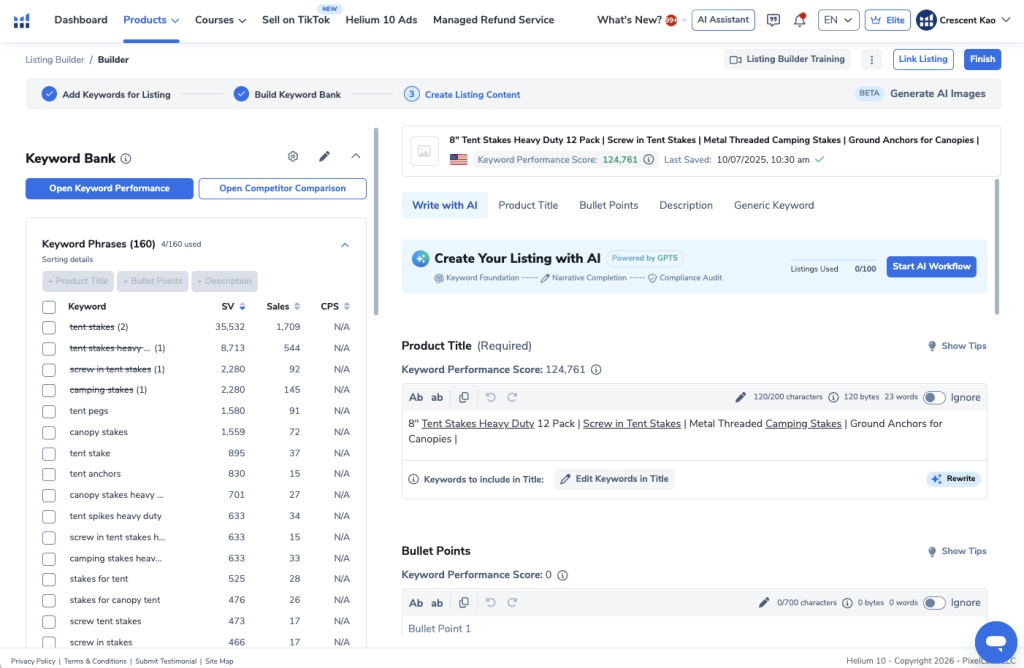
It generates:
- Product titles
- Bullet points
- Descriptions
While ensuring keywords are included properly.
Keyword Tracker
Keyword Tracker allows you to monitor how your product ranks over time.
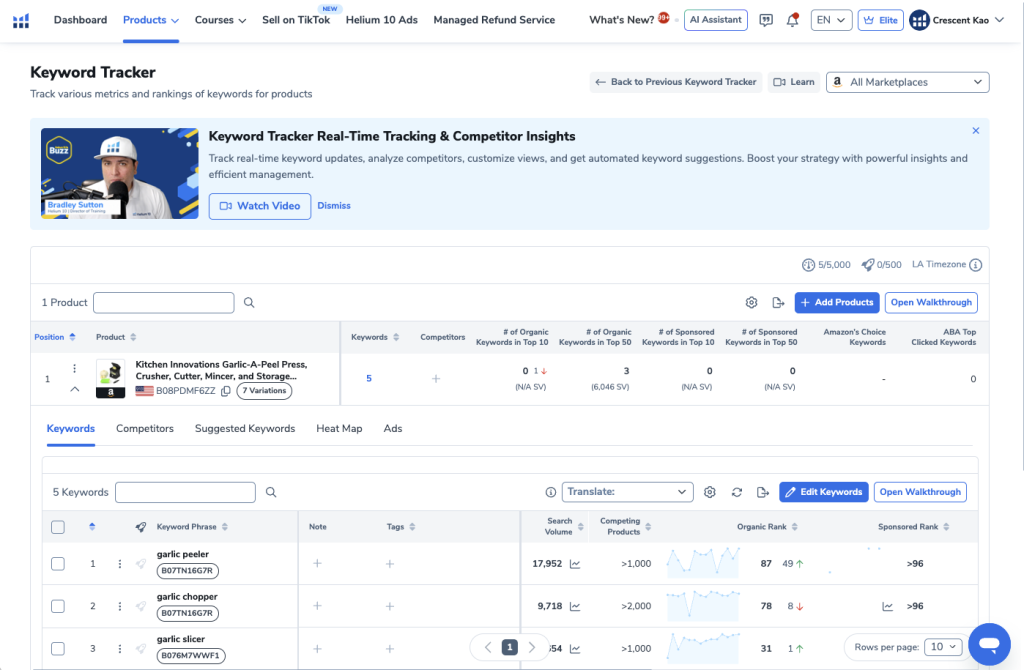
You can track:
- Top 10 rankings
- Top 50 rankings
- Keyword movement
This helps measure your SEO progress.
Market Tracker
Market Tracker analyzes your niche and competitors.
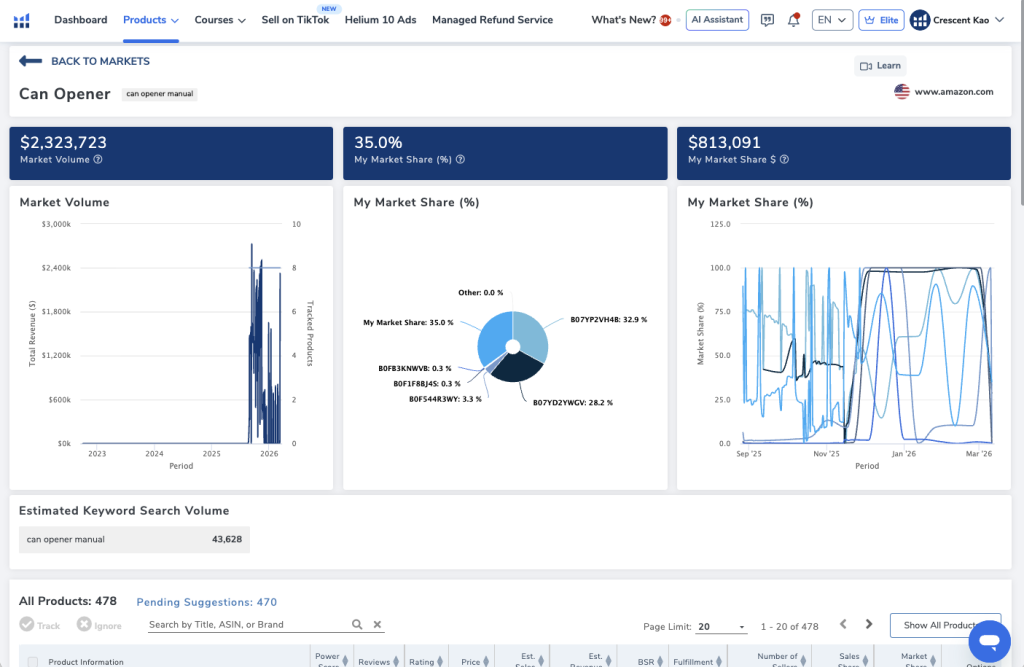
You can see:
- Market share
- Competitor revenue
- Market trends
This helps you understand who dominates the market.
Refund Service
Amazon frequently loses or damages inventory.
But they don’t always reimburse sellers automatically.
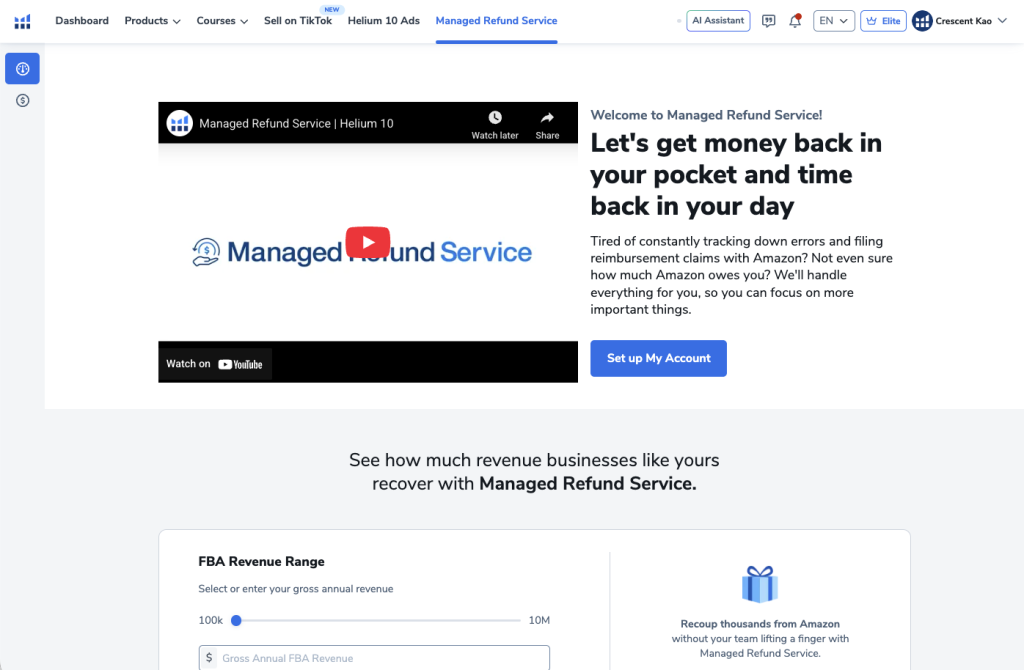
Helium 10’s Refund Service helps you:
- Detect reimbursement opportunities
- File claims automatically
- Recover lost money
Some sellers recover hundreds or even thousands of dollars.
Alerts (Listing Protection)
Listing hijackers are a common issue on Amazon.
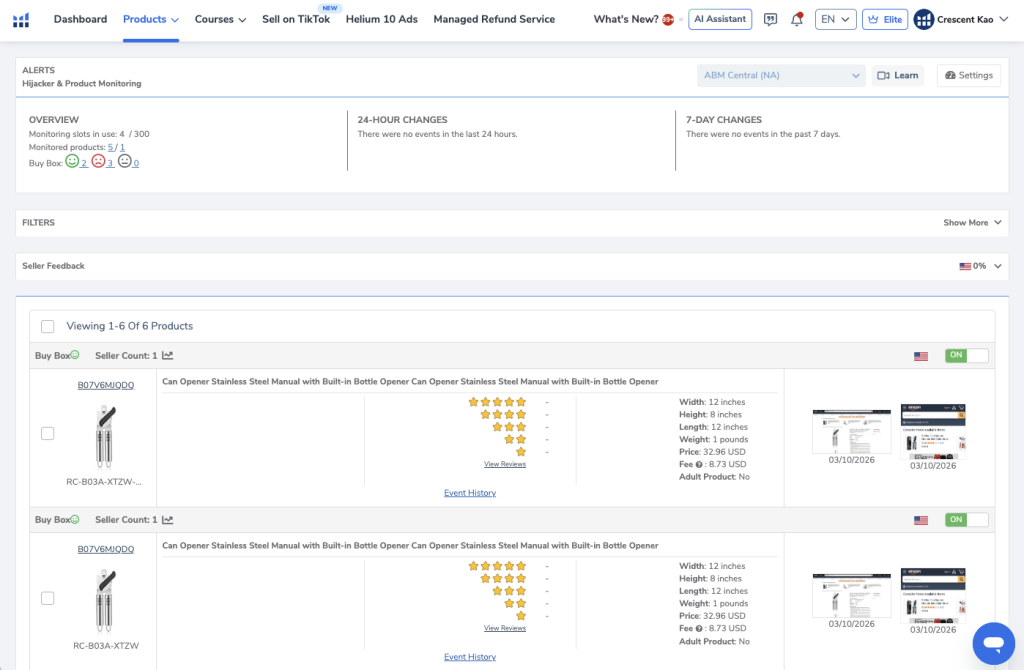
Helium 10 Alerts monitors your listings and notifies you if:
- Another seller hijacks your listing
- Your price changes
- Your images change
This helps protect your brand.
Should You Use Helium 10?
If you’re serious about selling on Amazon, tools like Helium 10 are essential.
Without data, you’re guessing.
And guessing leads to:
- Bad product choices
- Expensive ad campaigns
- Failed launches
Helium 10 helps you make data-driven decisions. If you want to learn how to winning products using Helium 10, here’s a step-by-step tutorial:
Final Thoughts
Helium 10 isn’t just a product research tool.
It’s an entire ecosystem for building and scaling an Amazon business.
From finding products to optimizing listings and running ads, Helium 10 provides the tools sellers need to succeed.
If you’re just getting started, I highly recommend testing it out and seeing how much easier it makes the entire process.
Want to try Helium 10 for yourself?
👉 Start with the 7-day risk-free trial and see how powerful the tools are once you start using real data to guide your decisions.